
China Tea Club is a 40-year-old Chinese restaurant in Canberra. Their website had been live and working for a while, but every change still came back to us: a dish that sold out, a price that moved, a public-holiday closure, a better photo of the banquet room. Small edits, all of them urgent to the restaurant and none of them worth an email thread and a wait.
So we built the owner an admin console and handed them the keys. The owner has agreed to let us show it here.
Signing in without a password
Restaurant staff do not want another password, and a shared password that ends up on a sticky note behind the till is worse than no password at all. The console has none.
You type your email address, the system emails you a short code, you type the code in. That is the whole login. Only addresses on the restaurant’s approved list can get a code at all, so the account cannot be shared any further than the owner decides, and there is nothing to forget, reset or leak.
Editing the things that actually change
The console only exposes the parts of the site that genuinely move — menus and prices, photos, and opening hours. Everything else stays under our care, which is exactly the split the owner asked for: full control over the content, zero exposure to the layout.
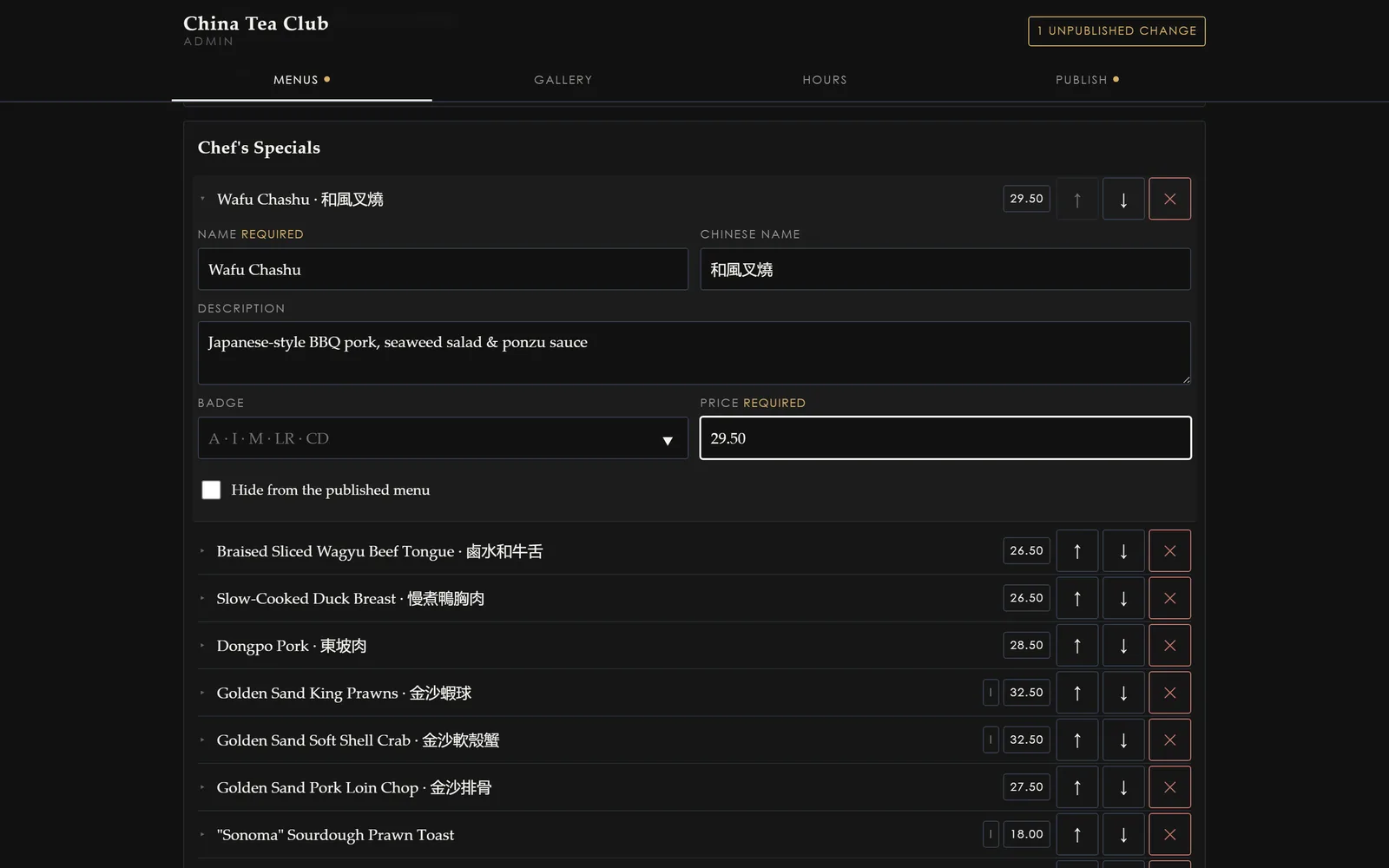
Menu editing is the workhorse. Dish names, descriptions and prices are plain fields; a sold-out dish can be hidden without deleting it, and it comes straight back when the supplier does. Photos are uploaded from the phone’s camera roll and resized on the way in, so nobody has to think about file sizes.
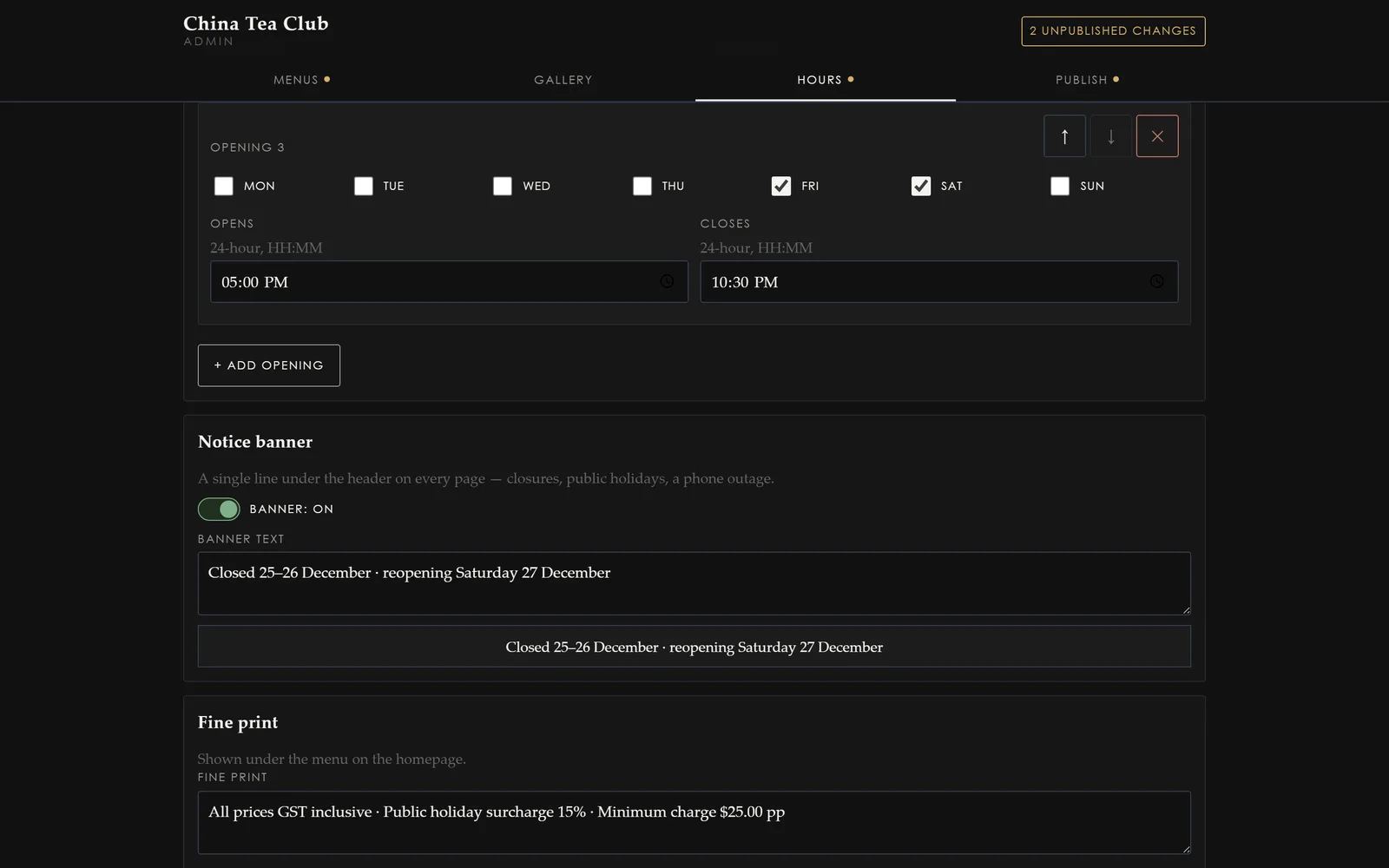
Opening hours are a row per day plus a closed toggle — which is what a public holiday or a family event actually looks like from behind the counter.
Publish is one change, and it is reversible
The part we care most about is what happens when you press Publish.
Every publish is recorded as a single tracked change: who published it, when, and exactly what moved. Nothing is edited in place on the live site, so there is no half-updated state where the price has changed but the description has not.
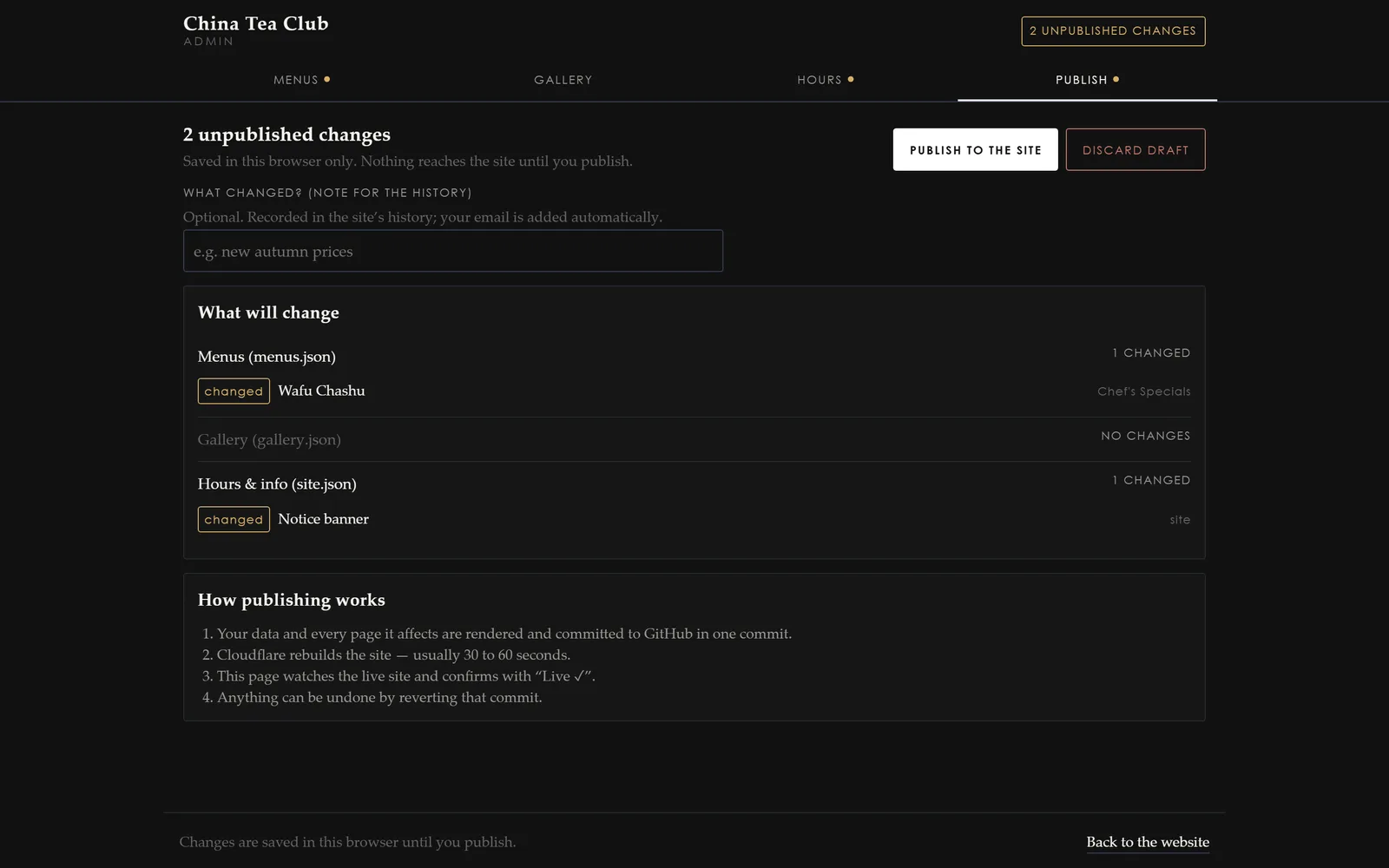
And because each publish is one discrete change, it can be undone as one. If a price goes in wrong at 6pm on a Friday, the previous version goes back up without anyone needing to remember what it said. The site rebuilds itself automatically after a publish, and the change is live in about a minute.
What changed for the restaurant
The practical difference is that the website now keeps up with the restaurant. Prices on the site match the prices on the wall. A closure goes up the morning it is decided rather than the week after. And the owner does not have to ask anyone’s permission — or wait for anyone’s availability — to correct their own menu.
If you would like the same for your business, the website build that came first is worth reading alongside this, and we have written up what a client-editable website costs in detail.